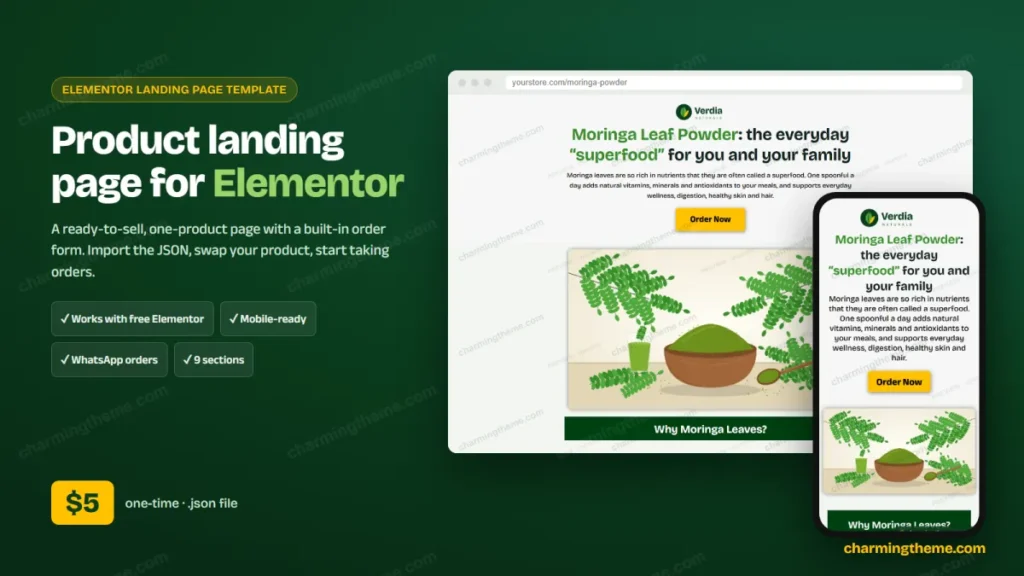
If you sell one product through Facebook or Instagram ads, you don’t need a full online shop. You need one fast page that explains the product, answers doubts and takes the order. Verdia is an Elementor landing page template built exactly for that, and it works with the free version of Elementor.
In this guide you will see every section of the template, how the built-in order form works, how to import the JSON file in a few minutes, and how to turn the demo brand into your own product page.
The template at a glance
| Price | $5 (charged as ৳600), one-time payment |
|---|---|
| Works with | Elementor free 3.x / 4.x, any Elementor-friendly theme |
| File | One importable .json template + demo images |
| Sections | 9 (hero, image, benefits, story, how-to, product, trust, call box, order form) |
| Order form | Pack cards, live total, cash on delivery, WhatsApp ordering |
| Mobile | Tuned font sizes and spacing for phones |
| License | Unlimited sites you own or build for clients |
One JSON file, 9 sections, built-in order form. Instant download.
Why a one-product landing page converts better than a shop page
A normal product page sits inside a store, surrounded by menus, related products and a sidebar. Every link is a chance for the visitor to wander off. A landing page removes all of that and walks the visitor down one path: the promise, the proof, the details and the order form.
That is why most cash-on-delivery sellers who run social ads use long single pages. The visitor arrives from an ad on a phone, scrolls, and orders without ever leaving the page. Verdia follows that proven structure, so you can focus on your product and your ads instead of on layout work.
A tour of the template, section by section
The demo sells a fictional moringa leaf powder from the brand “Verdia Naturals”. Every text, image and colour is easy to replace, so the same layout works for skincare, food, gadgets, books or any single product.
1. Hero: headline, promise and the first order button
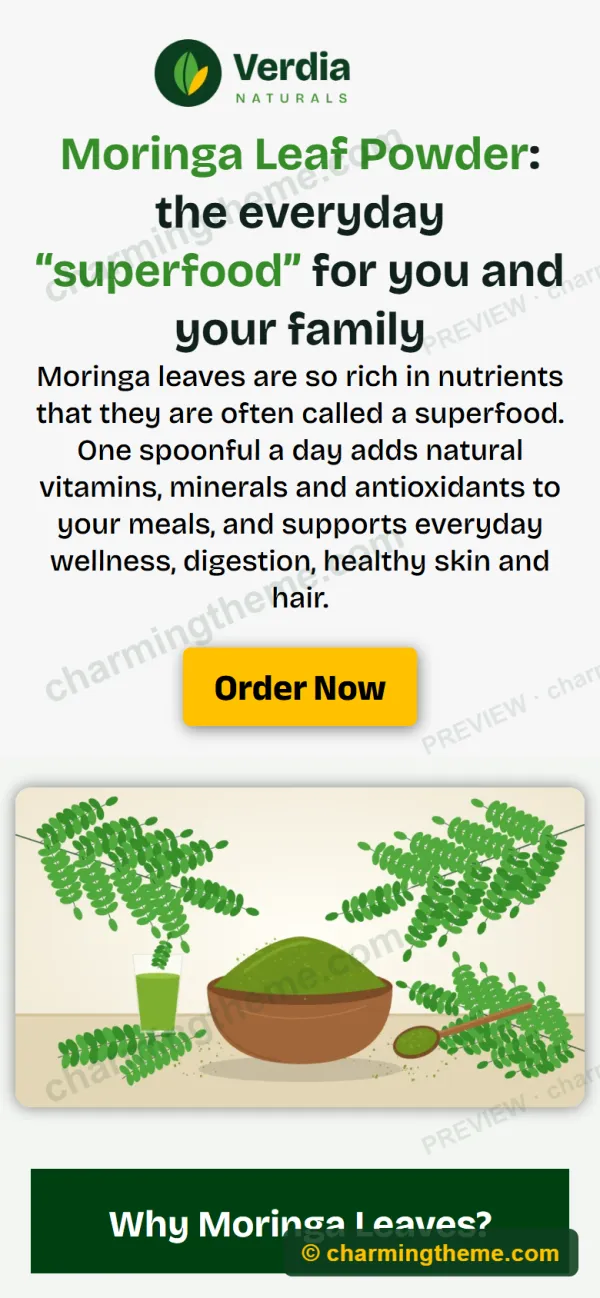
Logo, a two-colour headline, a short promise and a bright yellow Order Now button that jumps straight to the form. Visitors who are already convinced can order in one tap.
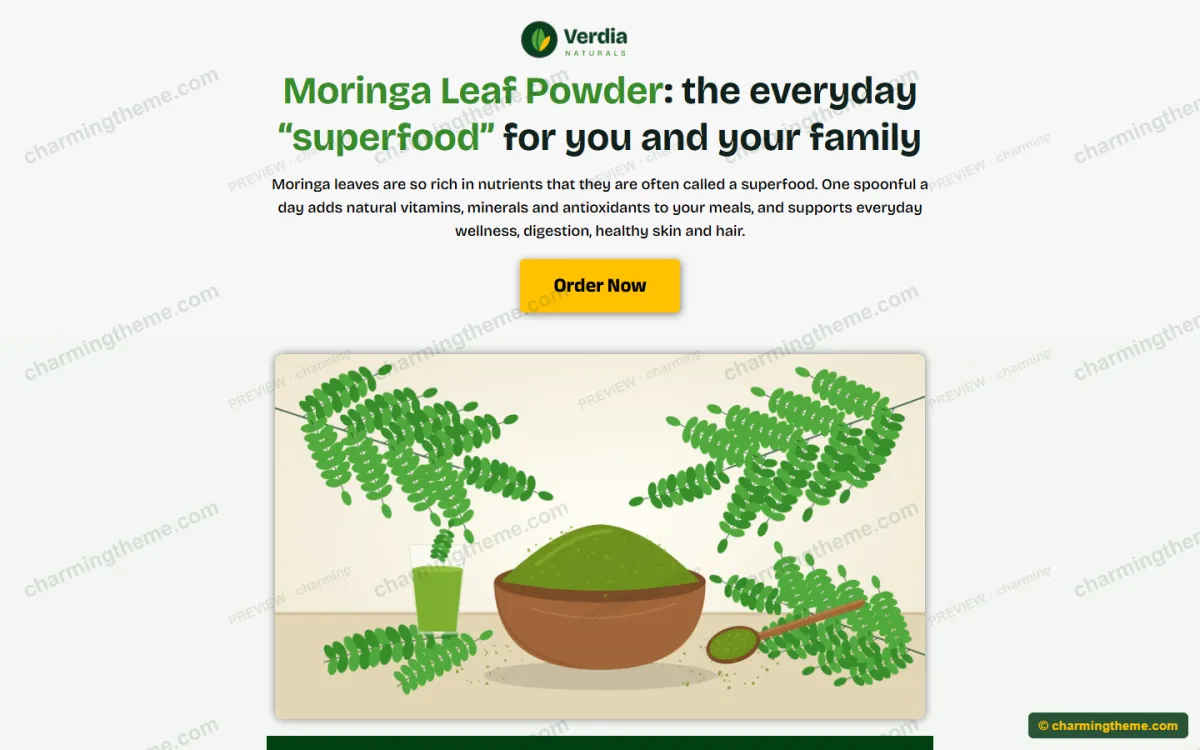
2. Product image
A large rounded image (or your video, if you prefer) that shows the product in use. In the original layout this slot held a YouTube video, so you can switch back to the Video widget any time.
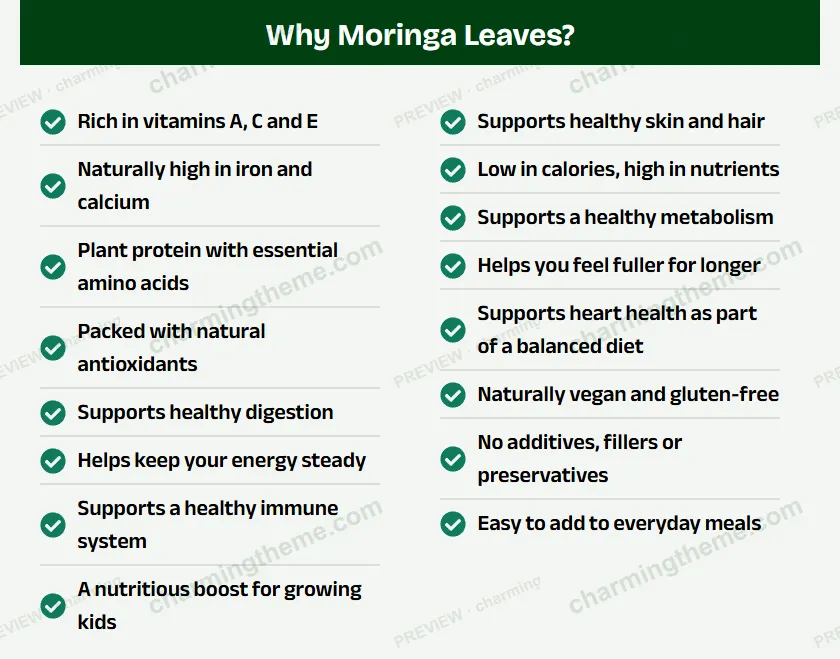
3. Benefits in two columns
Two icon lists with eight points each, under a dark green section title. Short, scannable lines work far better on phones than long paragraphs.
4. Story and second call to action
An image plus one paragraph that explains where the product comes from and why it is better, followed by the second order button.
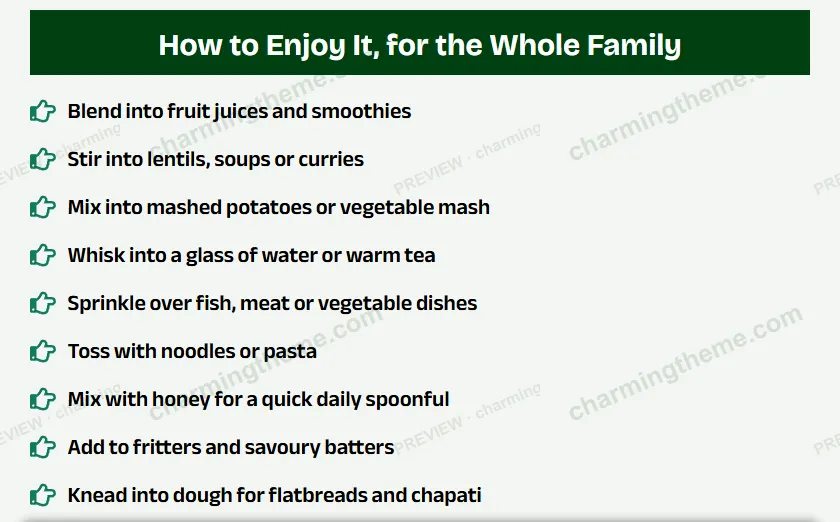
5. How to use
A pointing-hand icon list with practical ideas. For the demo these are recipes; for your product they could be usage steps, sizes or what is in the box.
6. Product shot and trust list
A packshot followed by “Shop with Confidence”: cash on delivery, easy returns, fast delivery and a free bonus. This is where you answer the last doubts before the form.
7. Call box
A coloured box with a phone button (a real tel: link), for customers who prefer to order by calling.
The built-in order form
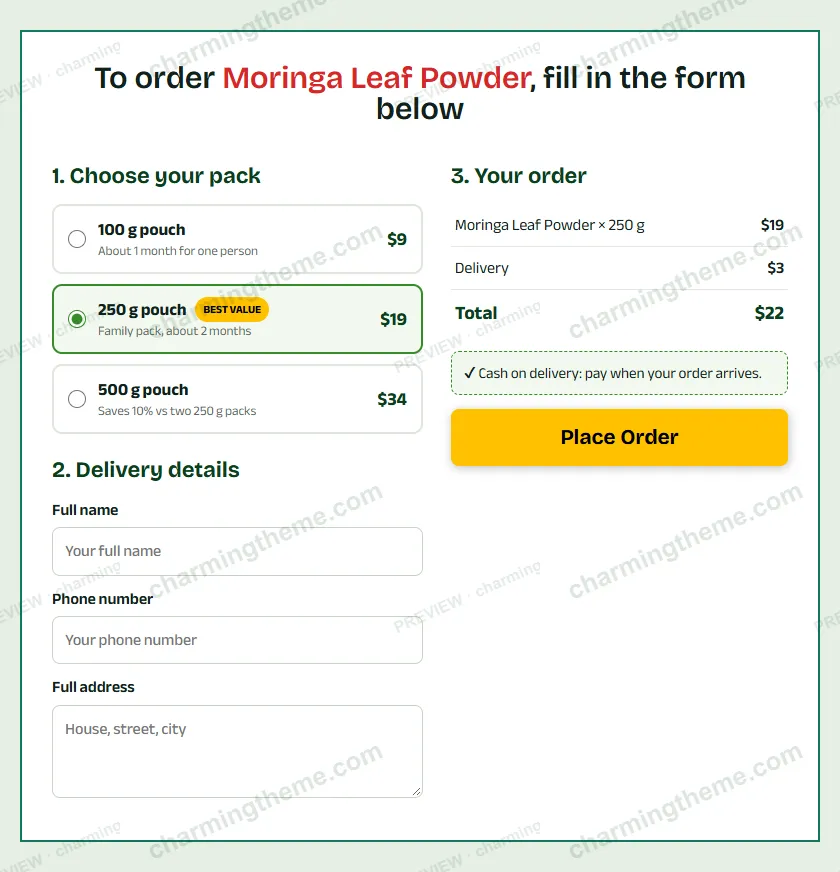
The last section is a complete order form made with a single HTML widget, so it needs no form plugin and no Elementor Pro. It is designed for cash-on-delivery stores:
- Three pack cards with a “Best value” badge, so customers can pick a bigger pack.
- A live order summary: subtotal, delivery fee and total update as soon as a pack is chosen.
- Name, phone and address fields with browser autofill and validation.
- WhatsApp ordering: add your number once and every order opens WhatsApp with the pack, total, name, phone and address already typed in.
- Your own checkout if you prefer: swap the widget for WooCommerce, CartFlows, Contact Form 7 or Fluent Forms and keep the section ID
order.
Built for phones first
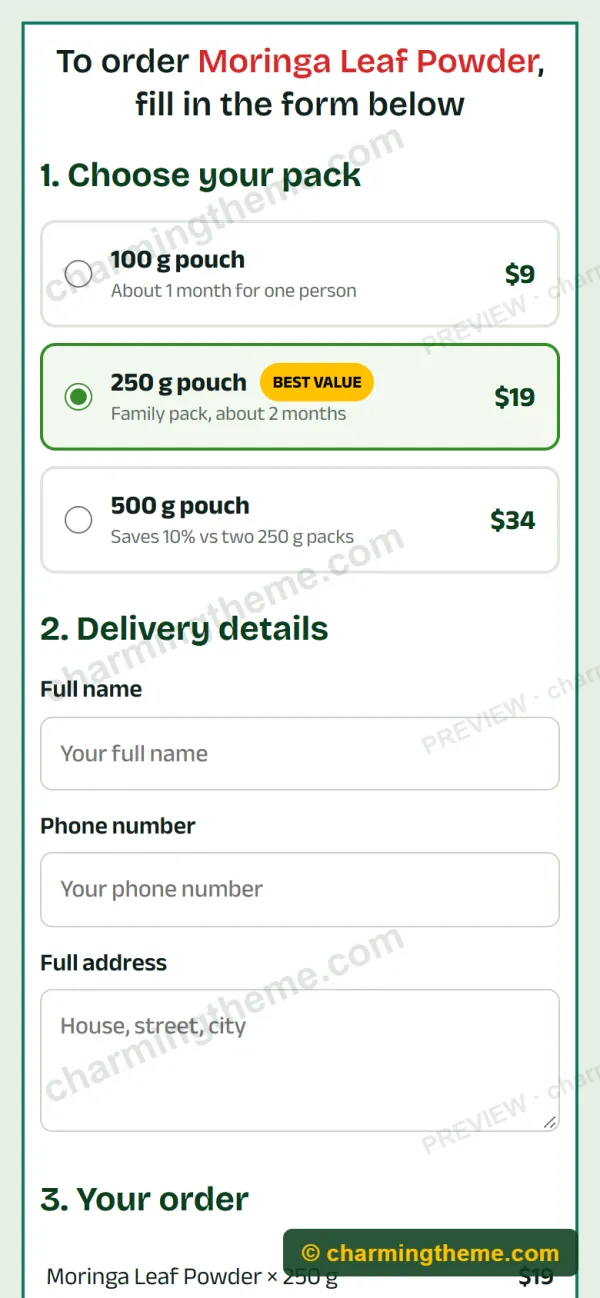
Most landing page visitors come from social ads on a phone, so every heading, list and button has its own mobile size. The two benefit columns stack, the order form becomes one column and the buttons stay large enough to tap.
What’s inside the download
verdia-moringa-landing.json, the Elementor template you import.- Demo images: logo, hero, benefits and product illustrations, free to use on your pages.
- A step-by-step
READMEfor importing, customising and setting up the order form. - A license file: use it on unlimited sites you own or build for clients.
How to import an Elementor landing page template
Importing takes about two minutes and works the same in every Elementor version:
- In WordPress open Templates > Saved Templates and click Import Templates.
- Choose
verdia-moringa-landing.jsonand click Import Now. - Create a new page and click Edit with Elementor.
- Click the folder icon, open My Templates and insert “Verdia Naturals – Moringa Powder Landing Page”.
- In the page settings choose Elementor Canvas as the page layout, so no header or footer distracts the visitor.
- Replace the texts and images with your own and click Publish.
Tip: Elementor downloads the demo images into your Media Library during the import. If your host blocks that, upload the images from the zip and choose them in each Image widget.
Make it yours in 15 minutes
- Brand: swap the logo and the brand name in the headline and footer.
- Colours: the buttons are yellow (#FFC100) and the section titles dark green (#004111). Change both in the widgets’ Style tab to match your brand.
- Fonts: headings use Bricolage Grotesque and body text Anek Bangla, both free Google Fonts. Anek Bangla also covers Bengali, which is handy for Bangladeshi stores.
- Prices and packs: edit the three pack lines, the delivery fee and the currency symbol in the order form’s HTML.
- Language: every word is plain text, so the page is easy to translate by hand or with WPML, Polylang or TranslatePress.
Who is this template for?
Verdia fits anyone who sells one hero product and wants a page that does one job well:
- Facebook and Instagram sellers running cash-on-delivery ads.
- Small brands selling food, herbal powders, skincare, gadgets or books.
- Freelancers and agencies who build product pages for clients and want a fast starting point.
- WooCommerce owners who want a focused campaign page next to their full shop.
Full-page preview
Here is the whole page from top to bottom, exactly as it imports:

Frequently asked questions
Do I need Elementor Pro?
No. The template uses only free widgets: Heading, Image, Button, Icon List and HTML.
Will it work with my theme?
Yes, with any theme that supports Elementor, such as Hello Elementor, Astra, Kadence or GeneratePress. Using the Elementor Canvas layout makes it look the same everywhere.
Does the order form send orders by itself?
It ships in demo mode. Add your WhatsApp number in one place and orders arrive in WhatsApp, or replace the form with your WooCommerce or form-plugin checkout. The README shows both options.
Can I use it for a different product?
Yes. Moringa powder is only the demo. Change the texts and images and it works for any single product.
Can I use it on client websites?
Yes, on unlimited sites you own or build for clients. You may not resell or share the template file itself.
How do I get the file?
Right after payment you get a download link on the order page and by email.
Get the Verdia landing page template
If you are about to launch a product with social ads, a ready landing page saves you a day of design work. Import Verdia, swap in your product and start taking orders today.
$5 one-time. Free Elementor. Instant download.