Jonas runs KANTE, a direct-to-consumer men’s grooming brand from Berlin. His Shopify store had good products, honest prices and a premium theme. Yet most visitors landed on the homepage, looked at one big banner and left. “Our homepage looks like a template,” he wrote to us. “I want it to sell like our best Instagram ads.”
This is the story of how we turned that homepage into the store’s best salesperson with three custom Shopify sections, without a new theme and without a single new app.
About this story: KANTE is a fictional brand. The project is a composite of real Shopify work we have delivered, with names, products and details changed. The sections, problems and solutions are real.
| Client | KANTE, men’s grooming, Berlin (fictional) |
|---|---|
| Store | Shopify, German storefront, premium Online Store 2.0 theme |
| Delivered | Hero tiles banner, spotlight carousel with add-to-cart, feature slider |
| New apps | None |
| Editable by | The KANTE team, in the theme editor |
Tell us what you need. You get a fixed quote, a preview link before launch, and code you own.
The problem: a homepage that only shows, never sells
The old homepage had one slideshow and a product grid. It looked tidy, but it gave visitors no reason to click further: no clear campaign, no shortcut to bundles, and no explanation of why a KANTE trimmer is worth its price. German shoppers compare carefully before they buy, so that missing “why” cost sales.
Section 1: hero tiles that give every visitor a path

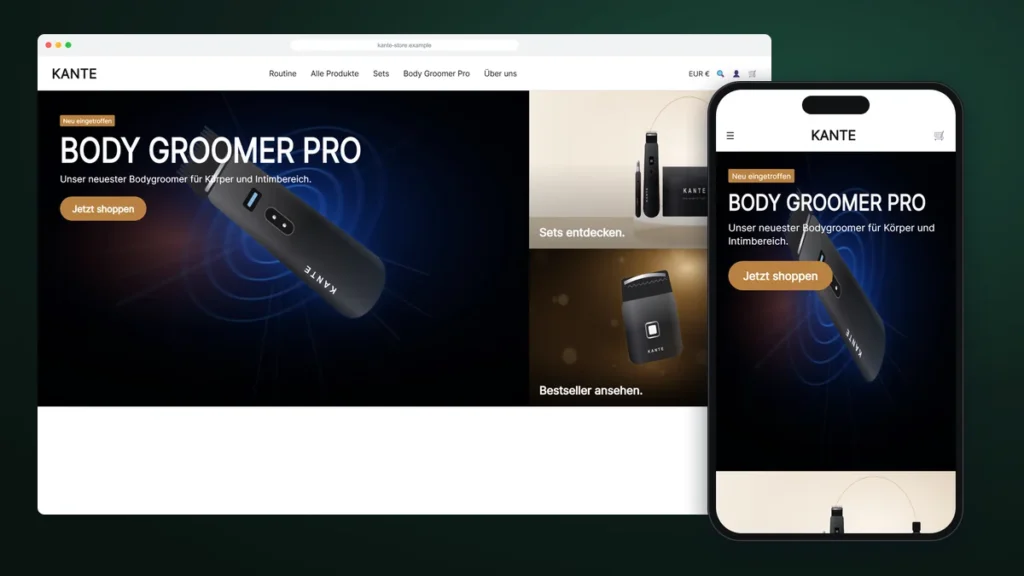
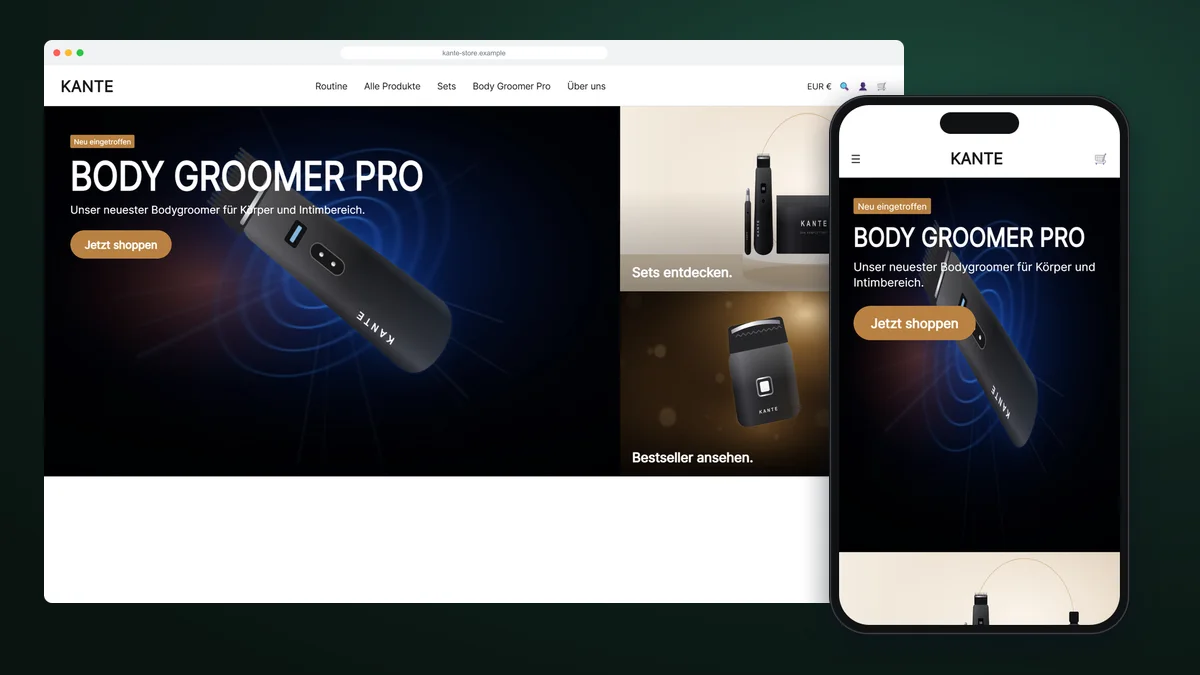
Instead of one banner, the hero now has a large campaign tile with a badge, a bold headline and a button, plus stacked tiles that link straight to sets and bestsellers. Visitors who are not interested in the campaign still have a one-click path to the products that sell best.
Everything is set in the theme editor: tile widths, separate heights for desktop and mobile, text position, overlay strength and colours. The section uses no JavaScript, so the most important part of the page loads instantly.
Section 2: a spotlight carousel that explains and sells
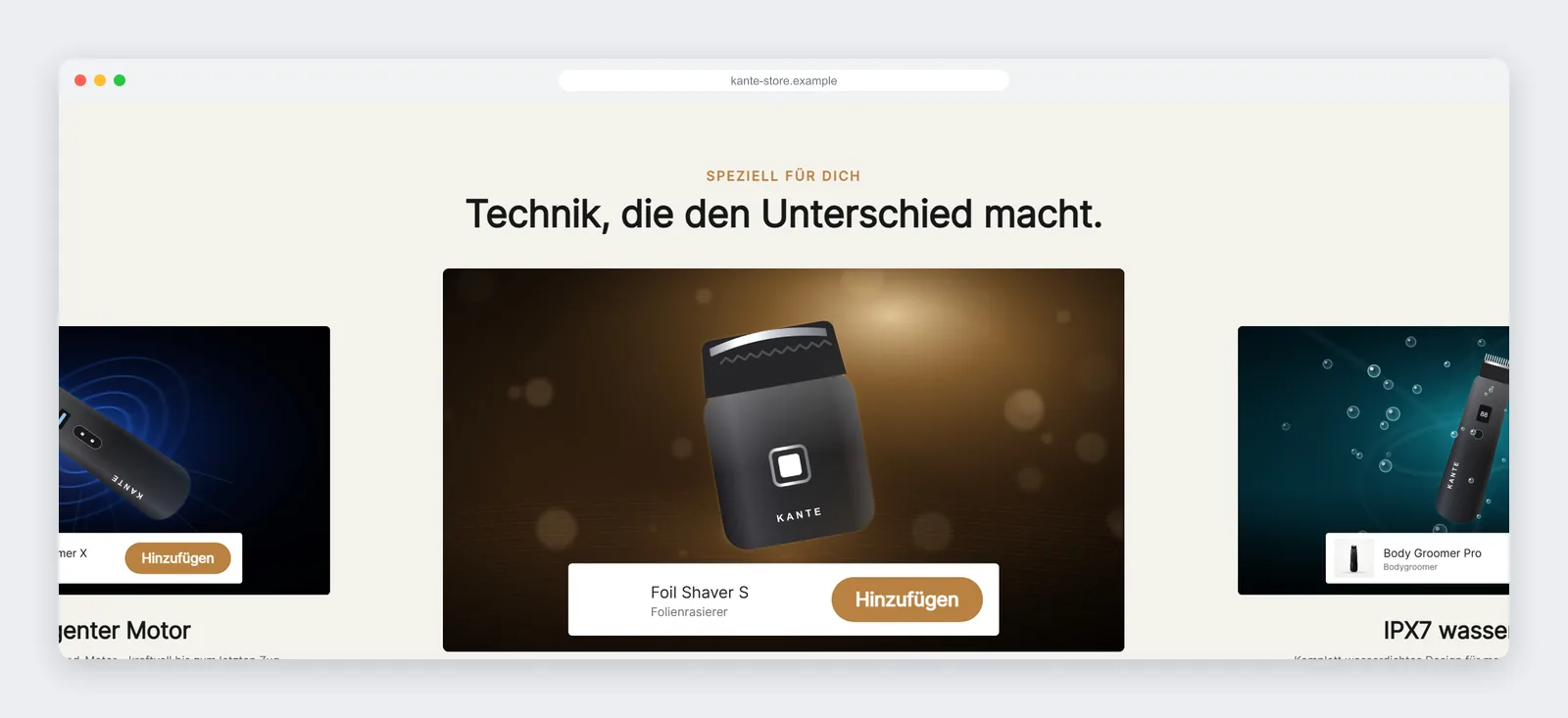
The spotlight carousel shows one technical benefit per slide (the motor, skin comfort, waterproofing) with a product bar and an add-to-cart button right on the slide. The active slide is centred and its neighbours peek in from the sides, which invites a swipe on mobile.
It supports swipe, drag, keyboard arrows, autoplay and looping, and it opens the theme’s own cart drawer, so adding to the cart feels exactly like on a product page.

The bug every premium theme can cause
After the first install, the carousel heading was invisible on the live store. The theme paints section backgrounds with a positioned layer that covered our content, and Shopify was still serving an old cached stylesheet. We lifted the content above the layer, inlined the critical CSS and gave every setting a safe default. It is the kind of detail that only shows up on a real store, and why we always test on a copy of your live theme.

Section 3: a feature slider for mobile thumbs
On phones, a swipeable row of feature cards with product links replaced a long, static text block. Each card is a block in the editor, so the team can add a card for every new product launch in seconds.

What KANTE got, and what to measure
- A homepage with a clear campaign and one-click paths to sets and bestsellers
- Add-to-cart directly from the homepage
- Three sections the team can reuse for every campaign, with no monthly fees
- Clean, fast code inside the existing theme
We don’t publish client conversion figures. Instead, we set up clear metrics to compare with the previous season: clicks from the hero tiles, add-to-cart events from the spotlight bar, and the share of orders that include a set.
Is a custom homepage worth it for your store?
If your homepage gets traffic but few clicks into products, custom sections are usually the fastest fix. You keep your theme, your apps and your checkout, and you get a homepage built for how your customers actually shop.
Hero tiles, spotlight carousels, feature sliders, or a section your theme is missing. Fixed quote, preview before launch.
FAQ
How long does a custom homepage section take?
A single section usually takes a few days from approved quote to preview. A full homepage set takes longer; you get the exact timeline in the quote.
Will it work with my theme?
Yes, with any Online Store 2.0 theme. We match your theme’s fonts, buttons and product cards.
Can I change the content myself later?
Yes. Every text, image, product, colour and spacing value is a theme-editor setting.
Do I need an app?
No. Everything is built into your theme, so there are no monthly fees.