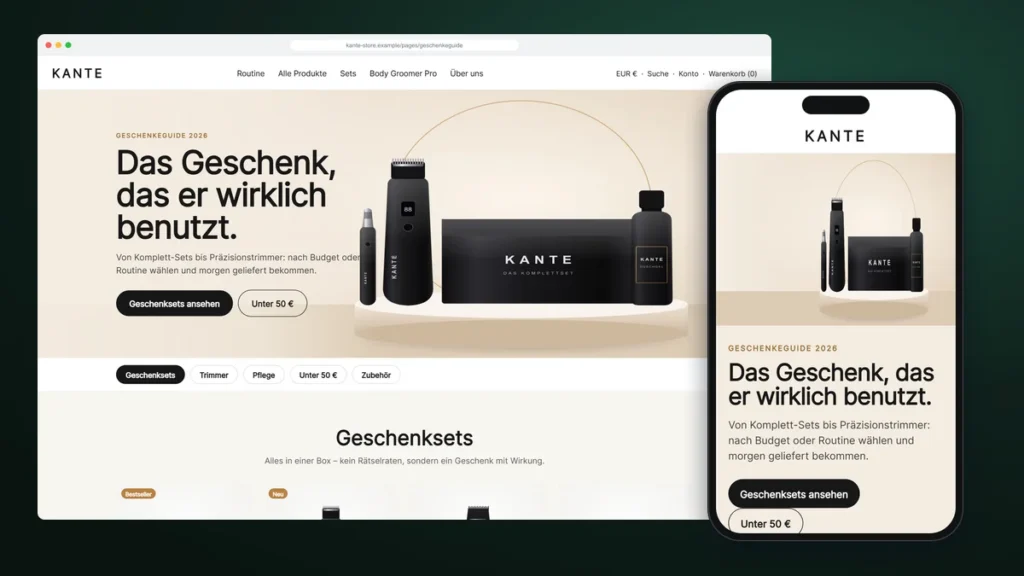
Every October, the same question reaches Jonas, the founder of Berlin grooming brand KANTE: “What should I buy for my boyfriend, my dad, my brother?” His store answered it with a plain collection page. Shoppers scrolled, compared, hesitated and often left to “think about it”.
So we built a custom Shopify gift guide page: a page that answers the gift question in seconds, sorted by budget and by type of gift, with every product one tap from the cart.
About this story: KANTE is a fictional brand. The project is a composite of real Shopify work we have delivered, with names, products and details changed. The sections, problems and solutions are real.

| Client | KANTE, men’s grooming, Berlin (fictional) |
|---|---|
| Goal | Sell more gift sets in Q4 |
| Delivered | Gift guide page template from four reusable sections |
| Editable by | The team, in the theme editor |
| Reusable for | Father’s Day, Black Friday, Valentine’s Day |
Tell us what you need. You get a fixed quote, a preview link before launch, and code you own.
Why a collection page is not a gift guide
A collection page lists products. A gift guide makes a decision easier. Gift buyers usually don’t know the product names; they know a budget and a person. The page has to start from that, show a few safe choices and remove doubt with clear delivery and return promises.
The four sections behind the page
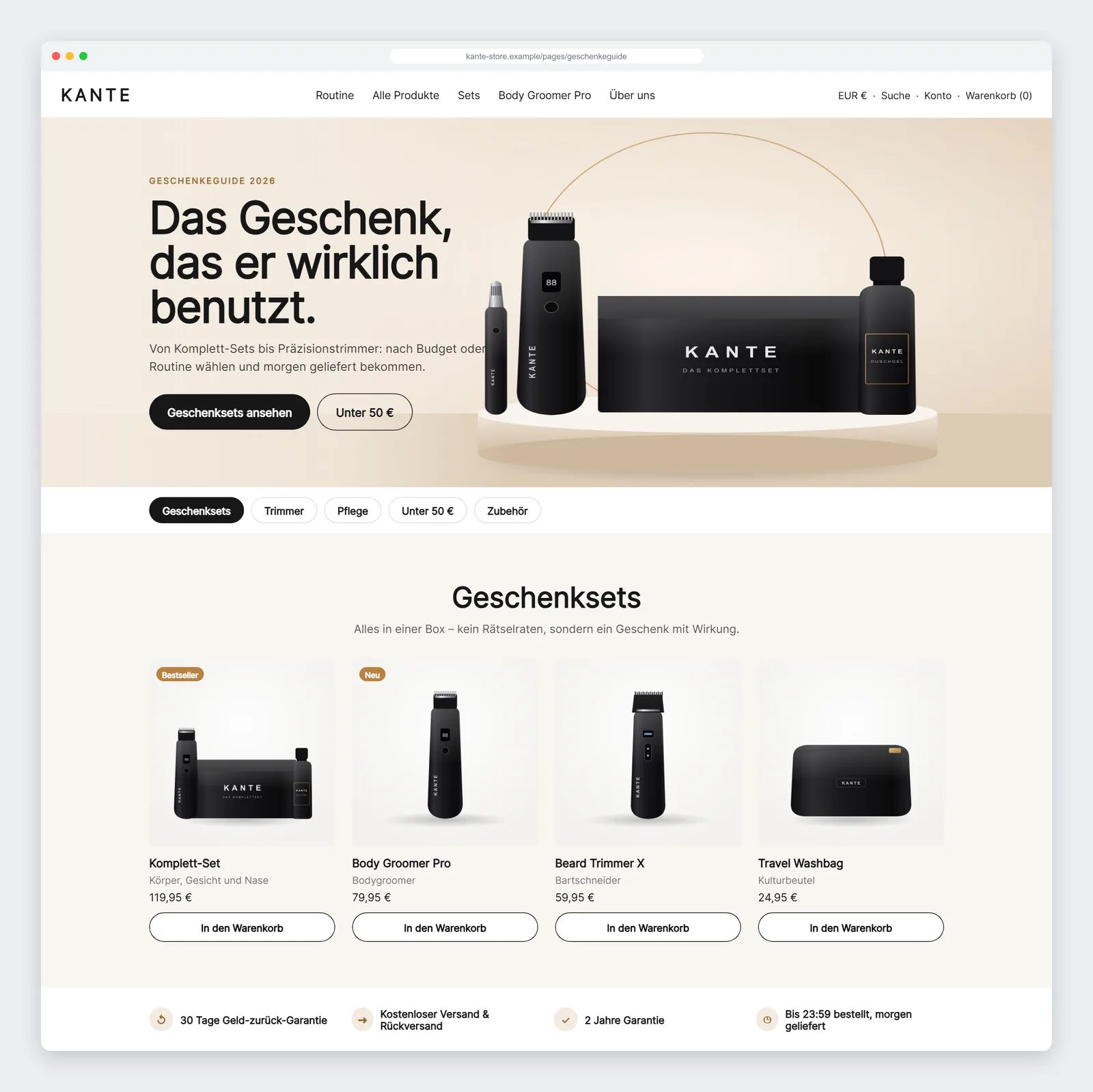
- Gift guide hero with separate desktop and mobile images and two buttons: “Gift sets” and “Under €50”.
- Sticky jump links that build themselves from the categories on the page and highlight where the visitor is.
- Category product rows using the theme’s own product cards, with add-to-cart and swipe on mobile.
- Trust bar: money-back guarantee, free shipping and returns, warranty and next-day delivery.
The jump links are our favourite detail. The team never maintains a link list: each product row has a name and an anchor, and the bar reads them automatically. Add a “Stocking fillers” row and the link appears in the right place.
Built for thumbs
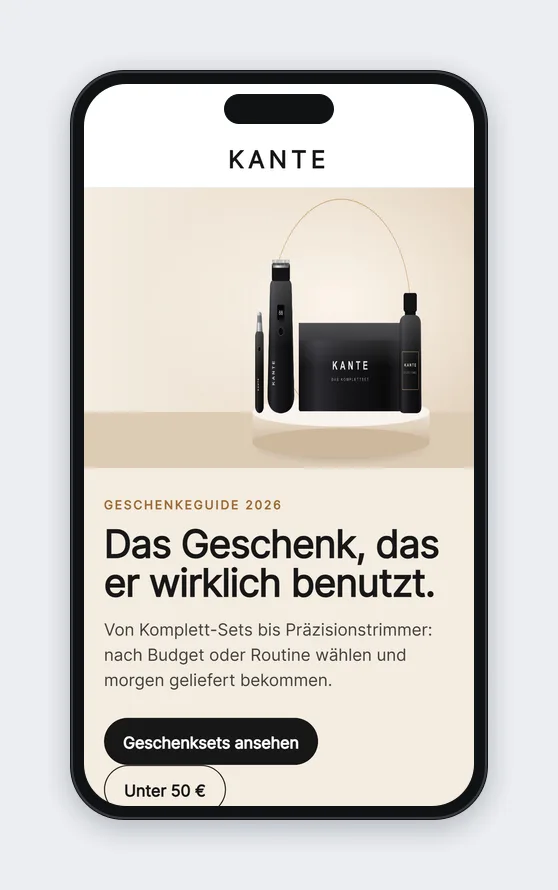
Most gift shopping happens on phones, often late in the evening. On mobile, each category becomes a swipeable row where the next product peeks in from the edge, and the category bar stays at the top while scrolling.
One template, every campaign
Because the page is a JSON template made of sections, KANTE can duplicate it for Father’s Day or Black Friday, swap the products and publish without a developer. That is where custom sections pay for themselves: the second and third campaign cost almost nothing.
What to measure
- Share of gift-guide visitors who add a set to the cart
- Clicks on each jump link (which budgets and categories matter)
- Average order value in the gift season
- Mobile scroll depth on the guide
A gift guide built from reusable sections, ready for Christmas and every campaign after it.
FAQ
When should I order a gift guide page?
Ideally six to eight weeks before your peak, so you have time to fill it with products and promote it.
Can I reuse it after Christmas?
Yes. Duplicate the page, change the products and texts, and publish it for the next campaign.
Does it work with my existing products and collections?
Yes. Rows can show a collection or a hand-picked product list.
Do I need a gift guide app?
No. The page is native to your theme, so there are no app fees or extra scripts.